to ensure that all products labels can be printed with a barcode so that all products can be scanned, even those without a barcode
-> adding a "characteristic“ internal reference also allows to filter these products.
Welcome!
human made "AI" (advises & inputs) forum by Odoo professionals, experts and enthusiasts challenging real use cases with standard solutions!
-> solutions should be applicable for Odoo community or online (at the limit with Studio), all without custom modules.
This question has been flagged
1
Reply
230
Views

- activate the developer mode and go to settings->technical-> server actions, and create a server action to update barcode if empty
- add contextual action to make possible to execute it by selecting already available products
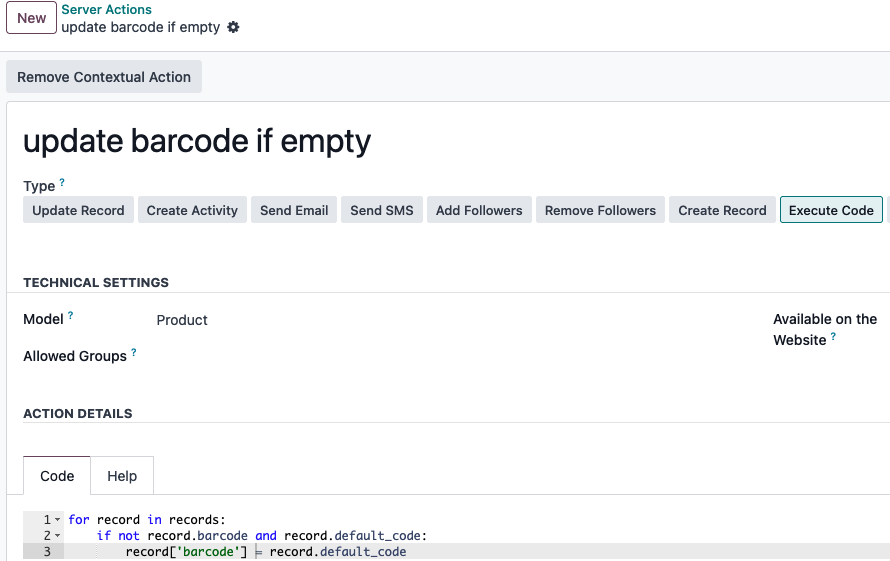
code:
for record in records:
    if not record.barcode and record.default_code:
        record['barcode'] = record.default_code
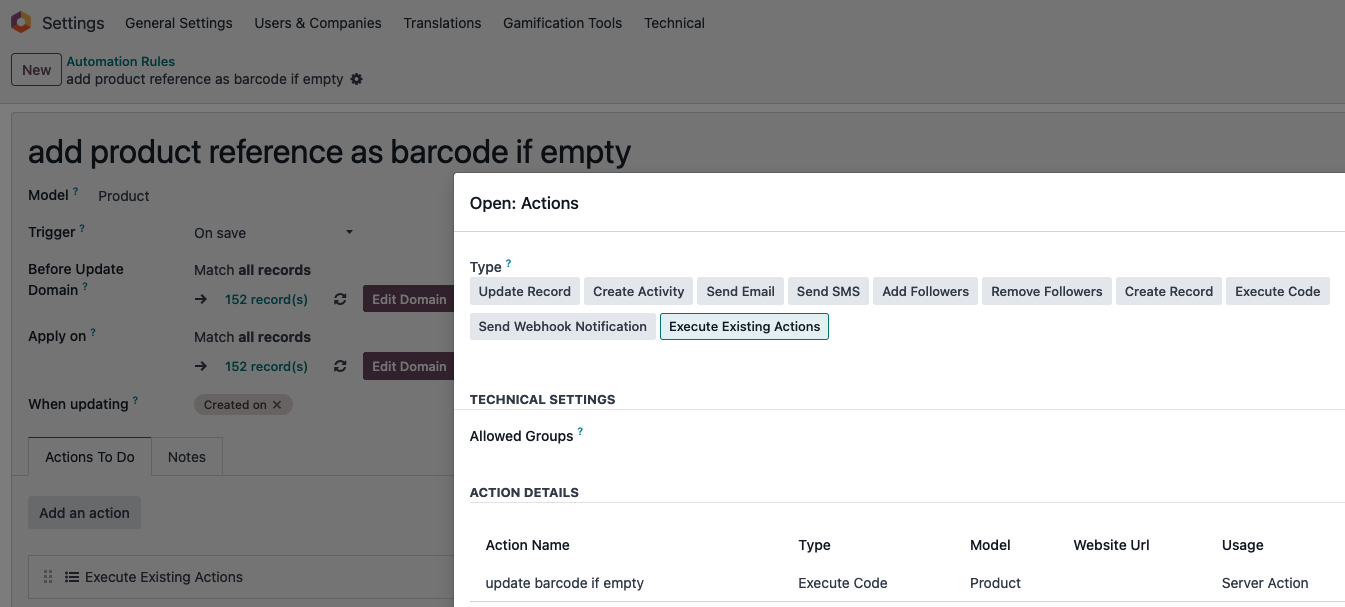
- create the following automation using the server action to automate the barcode creation for products with reference but without barcode:
Enjoying the discussion? Don't just read, join in!
Create an account today to enjoy exclusive features and engage with our awesome community!
Sign up| Related Posts | Replies | Views | Activity | |
|---|---|---|---|---|
|
|
1
Aug 26
|
220 | ||
|
|
1
Aug 26
|
333 | ||
|
|
1
Aug 25
|
190 | ||
|
|
1
Aug 25
|
209 | ||
|
|
1
Aug 26
|
190 |