how to remind users to enter a task when creating timesheet entries?
other user case could be to force users to enter a sales order item or prevent the use of to enter sales order items that should not be used.
human made "AI" (advises & inputs) forum by Odoo professionals, experts and enthusiasts challenging real use cases with standard solutions!
-> solutions should be applicable for Odoo community or online (at the limit with Studio), all without custom modules.

how to remind users to enter a task when creating timesheet entries?
other user case could be to force users to enter a sales order item or prevent the use of to enter sales order items that should not be used.
To force users to select a task:
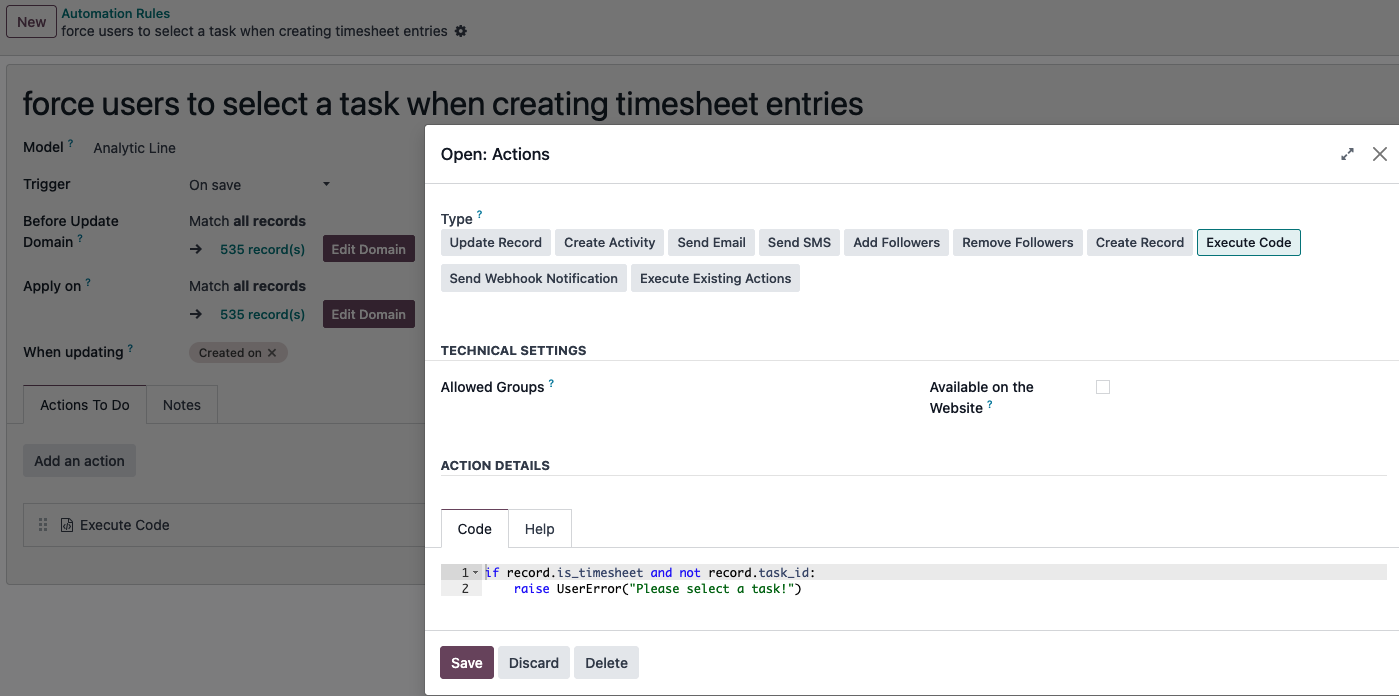
code:
if record.is_timesheet and not record.task_id:
    raise UserError("Please select a task!")
or force users to enter a sales order item or prevent the use of sales order items that should not be used.
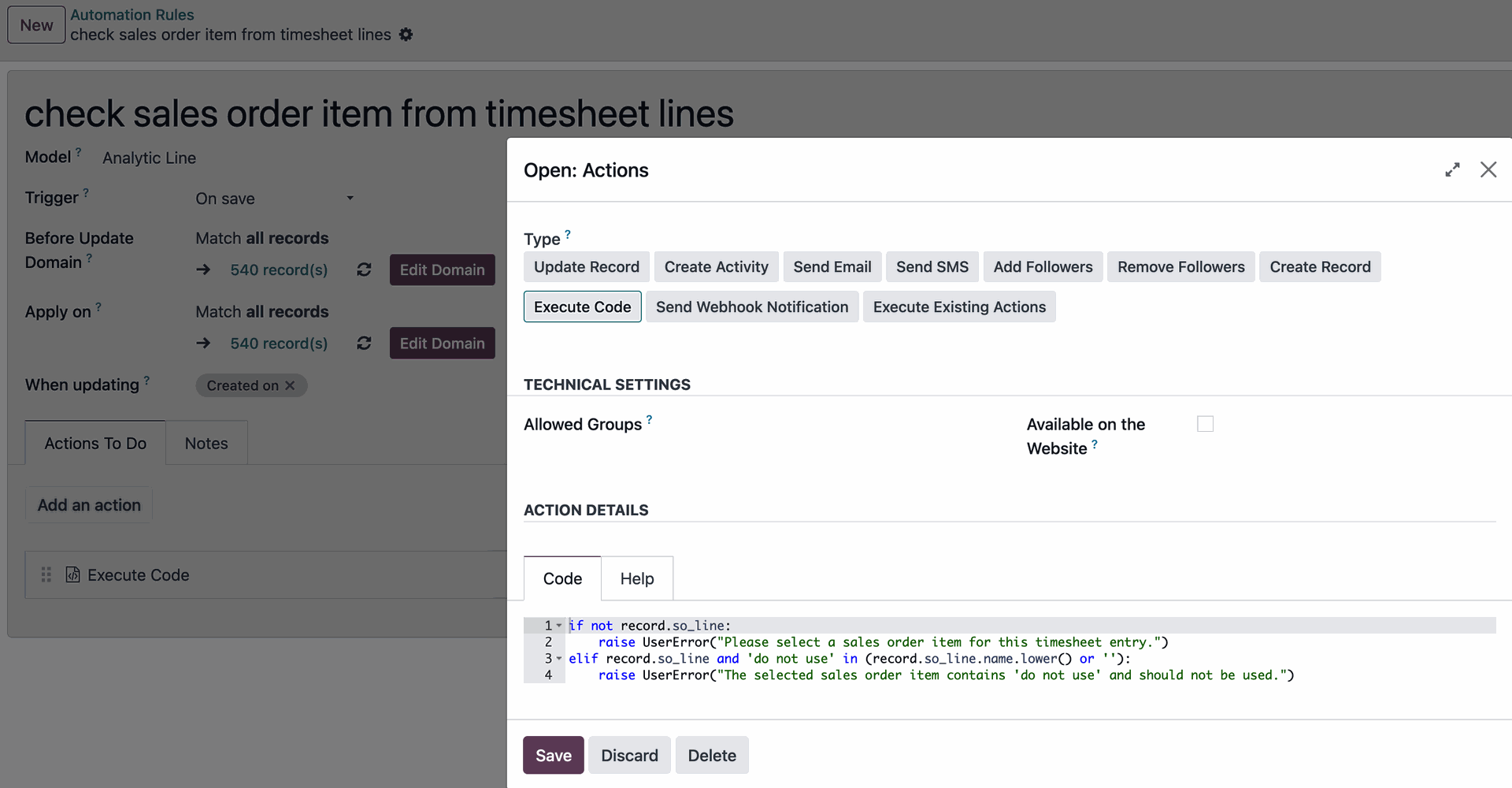
code:
if not record.so_line:
    raise UserError("Please select a sales order item for this timesheet entry.")
elif record.so_line and 'do not use' in (record.so_line.name.lower() or ''):
    raise UserError("The selected sales order item contains 'do not use' and should not be used.")
both use cases can also be handled in the same automation.
Create an account today to enjoy exclusive features and engage with our awesome community!
Sign up| Related Posts | Replies | Views | Activity | |
|---|---|---|---|---|
|
|
1
Sep 25
|
221 | ||
|
|
1
Mar 26
|
102 | ||
|
|
1
Aug 25
|
150 | ||
|
|
1
Aug 25
|
137 | ||
|
|
1
Aug 25
|
133 |